The following is a UX/UI Design Case Study describing how I designed Beetlebug. An open source insecure Android application with CTF challenges built for Android Penetration Testers, Developers, and Mobile Security enthusiasts. Through this case study, I’ll be sharing my detailed process and reasoning behind the design decisions I took to developing my very own CTF Android application.
Overview
My main goal is improving the overall User Experience for the CTF players and provide a platform for developers, penetration testers and mobile security enthusiasts to test their Android hacking skills.
Understanding the current problems
Being a mobile pen-tester and bug hunter myself. I struggled to finding critical bugs particularly in mobile applications. I decided to try my hands on existing Android hacking labs and CTF challenges. While learning using these tools, I couldn’t help but notice that some of these labs where obsolete, a few no longer had any community support (despite being open-source projects), others demonstrated how to find some critical bugs. However, they left a player struggling to keep track of their progress due to poor user experience within these apps.
Knowing the competition
I started using some common platforms like DIVA (Damn Vulnerable Android App), InjuredAndroid, InsecureBankv2, AndroGoat etc. I tried to understand these products by solving all the labs & CTF challenges and also reverse engineering these app using open-source tools like MobSF, JD-GUI and apktool. My main objective here was to understand how these products implemented some of these common bugs found in Android applications, how they could be exploited by bad actors and ultimately profer a CTF-style Android app that could better implement these vulnerabilities as close as possible to real-world bugs with a refined and better user experience.
Understanding CTF player User Flow
Some of my friends participate in CTF challenges quite regularly and I always observe them while the solve and their journey through capturing flags.
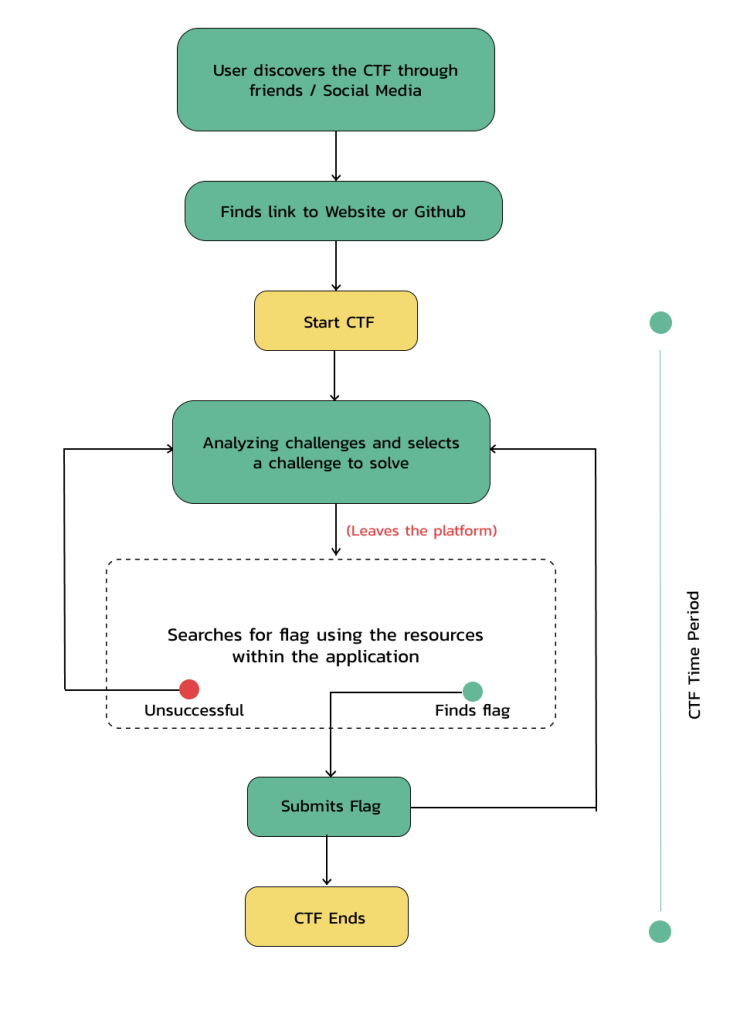
A Mobile application CTF challenges requires a player to –
- Minimize the window
- Hunt the Flag
- Comeback and submit the flag
In my opinion, the process where the player leaves the app and comes back within the app to solve the challenge needs some extra attention. CTF players should be able to keep track of the progress as the find flags within the App resources.
Typical CTF Player User Flow
Information Architecture
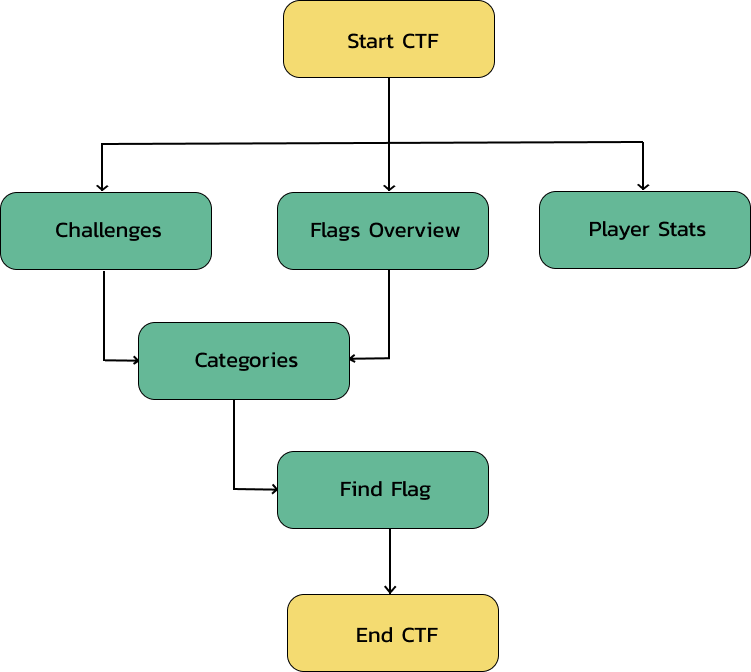
I commenced by designing process by defining an information architecture for Beetlebug. This enabled me to gain an insight into every vulnerability that the mobile app and the User Flow of the player.
Wireframing
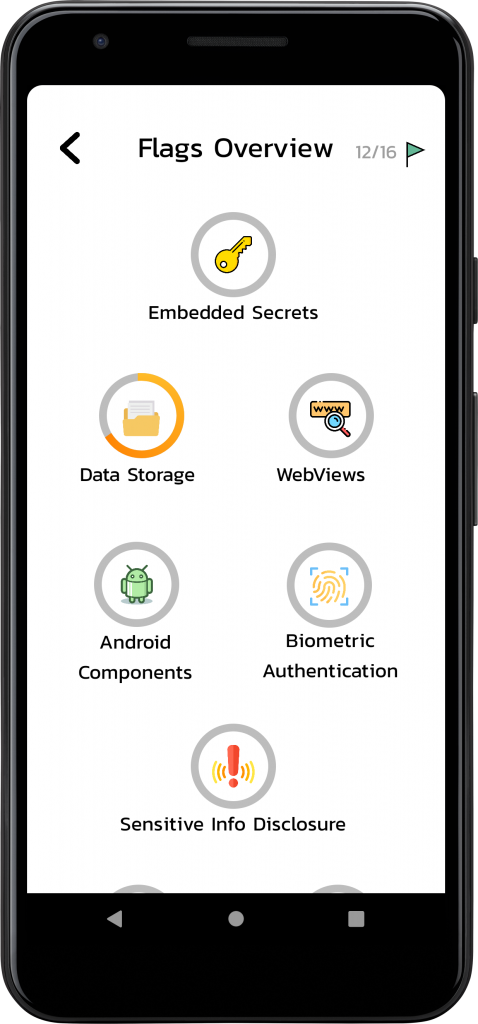
The heart of this product lies in Flags Overview. This is where the CTF player would spend most time, switching between challenges, solving those challenges and and submitting the flags. Throughout the wireframing phase, I took continuous feedback from friends who regularly played CTF challenges and ended up with this final iteration.
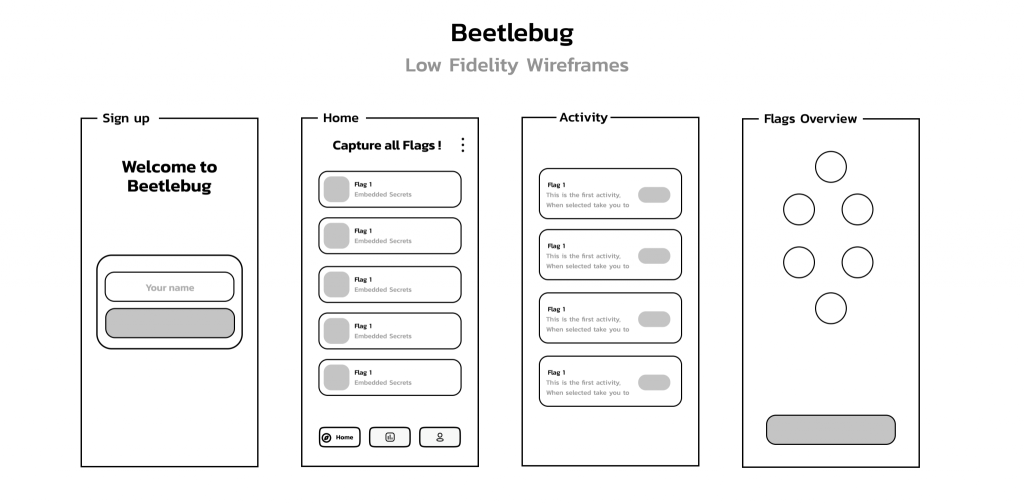
Home
The Home Activity used the Recycler View and CardView component of the Google Material Design library to display the challenges in a card list view to the player.
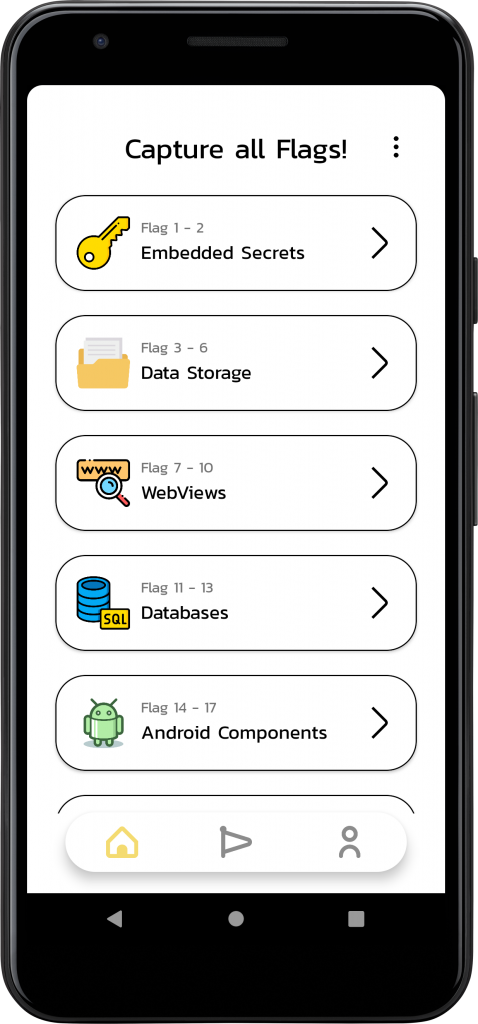
Flags Overview
This section presented the CTF player with a general overview of their progress through out their journey. I developed a custom progress bar to better illustrate a visual idea of their level towards completing a challenge.